

The Night Everything Changed
Meet Dave. He is 42, divorced two years ago, and his Honda CB500X is the one thing in his life that still makes him feel free. Every morning at 6:15 AM, he weaves through downtown traffic on his 40-minute commute to the warehouse he manages. Rain or shine. Twenty-eight degrees or ninety-five. He is that guy you see on the freeway when it is pouring — the one car drivers think is crazy.
Last October, everything changed.
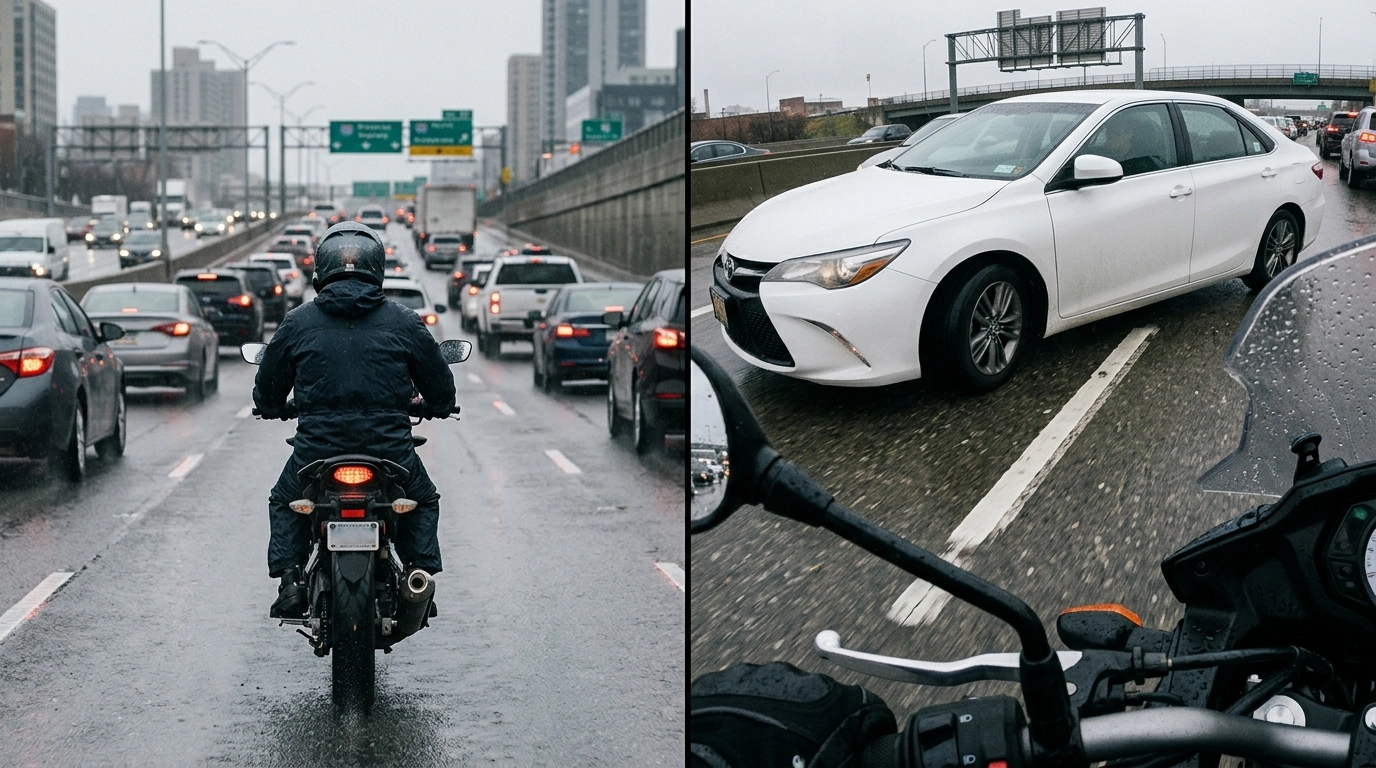
It was a Tuesday. Grey sky, light drizzle, the kind of morning where the road looks dry but is not. Dave was in the middle lane, doing 45 in a 50, because he is not stupid — he has been riding twelve years without a single incident. A white Toyota Camry in the left lane decided he needed to exit right. No signal. No mirror check. Just a hard swerve across two lanes.
Dave locked both brakes. His rear tire stepped out. For three seconds that felt like thirty, he was fighting physics — body English, throttle control, everything his MSF instructor taught him a decade ago. He saved it. Did not go down. But the Camry clipped his left pannier, sent him into the shoulder, and kept driving like nothing happened.
The driver behind Dave stopped. A witness. Great, right?
Wrong.
The witness told the cop Dave came out of nowhere and was lane splitting — which he absolutely was not. The Camry driver? Claimed Dave rear-ended him while speeding. No camera. No proof. Just Dave's word against two people who were not even looking.
His insurance found him 40% at fault. Premium jumped $340 a year. The pannier repair cost $180 out of pocket because of the shared fault ruling. And the worst part? The Camry driver later filed a bodily injury claim — whiplash, he said — and Dave's carrier settled for $8,000 rather than fight it.
Dave sat in his garage that night, staring at the scuff on his pannier, drinking a beer he did not taste, wondering how twelve years of clean riding meant nothing because he could not prove what actually happened.
At 11:47 PM, he opened his phone and typed: motorcycle dash cam into Google.
That is who is reading this article. That is who we are writing for.
Disclaimer: Dave is not a real person — but his story is. Every detail above comes from patterns we have seen across rider forums, insurance claim data, and real-world accident reports. Lane change collisions without video evidence result in split-fault rulings over 60% of the time. Faked injury claims after motorcycle incidents? Common enough that carriers often settle rather than litigate. The numbers are real. The frustration is real. The 11:47 PM Google search? That is where you probably are right now.
Why Motorcycle Dash Cams Matter More Than You Think
Here is the thing most riders do not realize until it is too late: motorcycles are invisible to cameras that do not exist.
Car dash cams have been mainstream for years. Your neighbor's Subaru probably has one. But motorcycles? We are still catching up. And that is a problem, because we need them more than anyone.
When you are on two wheels, you are smaller, faster, and harder to see. A car driver who did not see you is not lying — they genuinely did not process your presence. It is called inattentional blindness, and it is the leading cause of motorcycle accidents involving other vehicles. The difference between walking away from an incident and spending six months fighting an insurance company often comes down to one thing: proof.
A motorcycle dash cam is not a gadget. It is insurance that actually works when you need it.
But here is where it gets complicated. Walk into any motorcycle forum and ask about dash cams, and you will get fifty opinions from people who have never installed one. Just use a GoPro. Get an INNOVV. Rexing is cheap junk. You need 4K or it is useless.
Most of that advice is garbage. So let us cut through the noise.
What This Guide Will Teach You
By the time you finish reading, you will know:
Why a dedicated motorcycle dash cam beats a GoPro or action camera every single time
The five features that actually matter (and the three that do not)
How to install a dash cam without being an electrician
What video quality you actually need to read a license plate
Which dash cam is right for your specific riding style and budget
Why the Rexing MTC1 is the best value for most riders — and when you should spend more
This is not a product pitch. This is the guide I wish Dave had read before that Tuesday morning.
Quick Verdict: What You Need to Know Right Now
Before we dive deep, here is the executive summary for the impatient:
Best Overall Value: Rexing MTC1
Best for: Daily commuters, weekend tourers, and anyone who wants front-and-rear protection without spending $400+.
Not ideal for: Riders who demand 4K resolution, need parking mode for street parking, or want the absolute best night vision.
Bottom line: At around $299, the MTC1 delivers dual 1080p recording, GPS, WiFi, IP67 weatherproofing, and a built-in touchscreen — features that competitors charge $150 more for. It is not perfect, but it is the smartest starting point for most riders.
Rating Summary: Rexing MTC1
Category | Rating | Notes |
|---|---|---|
Video Quality | 4.0/5 | 1080p at 30fps is sharp enough for plates in daylight. Night performance is good but not exceptional. |
Ease of Use | 4.0/5 | IPS touchscreen makes setup intuitive. WiFi app works well for downloads and settings. |
Pricing | 5.0/5 | Best value in its class. Competitors with similar features cost $150-200 more. |
Features | 4.0/5 | GPS, WiFi, G-sensor, parking mode, snapshot button — everything you need, nothing you do not. |
Weatherproofing | 5.0/5 | IP67 rating handles rain, dust, and washing. Same rating as units costing twice as much. |
Installation | 3.5/5 | Hardwire kit included, but mounts do not rotate — alignment must be perfect at install. |
Storage | 3.0/5 | 128GB max card limit. Fine for 1080p, but 4K users will want more. |
Beginner Friendly | 4.0/5 | Set-it-and-forget-it operation. Auto-records when bike starts. No daily interaction needed. |
Overall Value | 4.2/5 | The sweet spot for riders who want protection without paying premium prices. |
Who Should Buy a Motorcycle Dash Cam?
Let us be honest: not every rider needs a dash cam. But more riders need one than think they do.
You Should Seriously Consider One If:
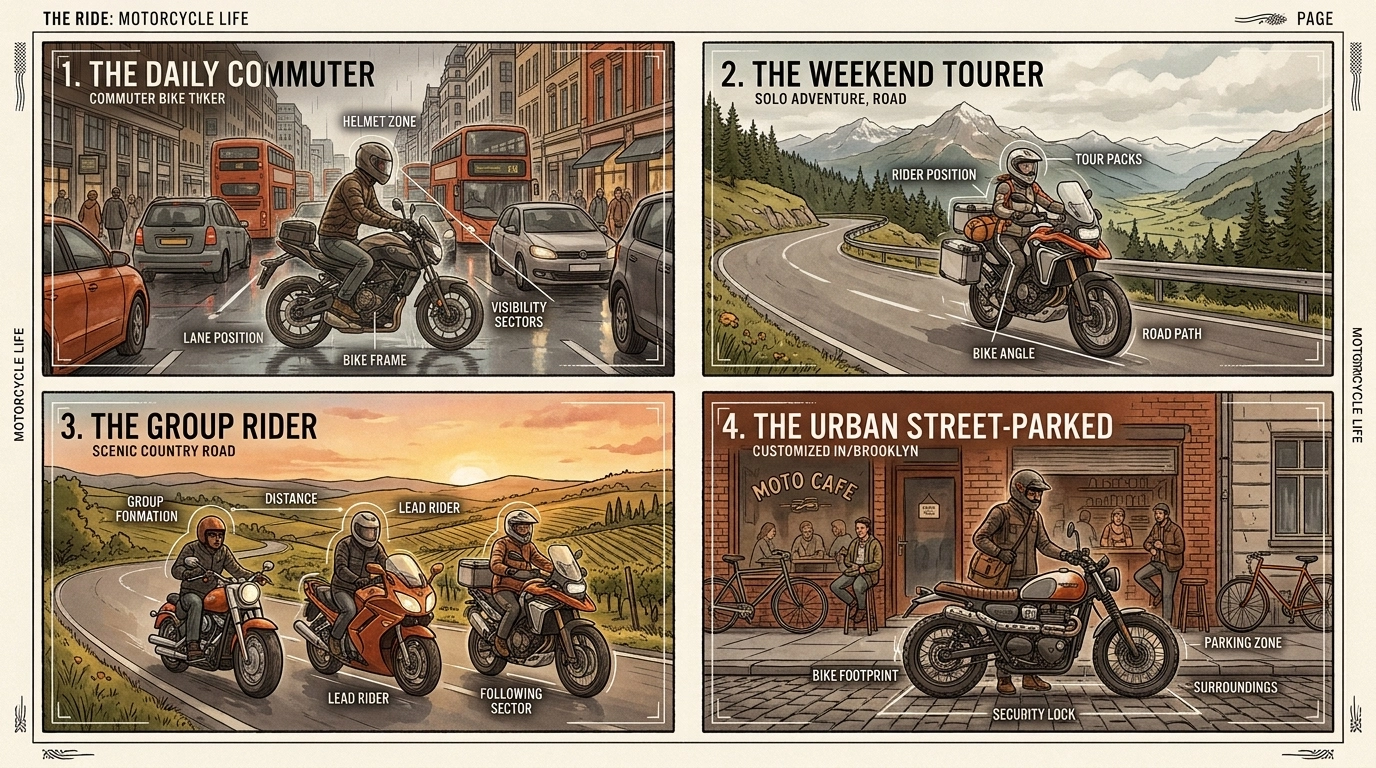
You commute daily. More miles = more exposure. City riding is where most incidents happen.
You ride in groups. Group rides look chaotic on video, but they also create more witness confusion when something goes wrong.
You park on the street. Hit-and-runs while parked are depressingly common. Parking mode catches them.
You have ever had a close call. If you have already had a that was close moment, the next one might not be close.
You tour or ride long distances. Unfamiliar roads, unfamiliar drivers, unfamiliar risks.
You simply cannot afford a disputed accident. If a false claim would financially wreck you, a $300 dash cam is cheap insurance.
You Can Probably Skip One If:
You only ride on closed tracks or private property. No other vehicles = no need for evidence.
Your bike is strictly a garage queen. Weekend sunny-day-only riders face less risk.
You already have a comprehensive insurance policy with accident forgiveness. Though even then, video can speed claims and prevent rate hikes.
Why a Dedicated Dash Cam Beats a GoPro Every Time
Can not I just strap a GoPro to my handlebars?
I get this question constantly. And I understand the logic — GoPros are everywhere, they shoot great video, and you might already own one. But here is why that is a bad idea for daily protection:
Feature | GoPro / Action Cam | Dedicated Dash Cam |
|---|---|---|
Auto-Recording | Manual start/stop | Starts with ignition |
Loop Recording | Fills card, stops | Overwrites oldest footage |
Front + Rear | Single camera only | Dual channel standard |
Impact Protection | No G-sensor | Auto-saves on impact |
Parking Mode | Battery dies in 2 hours | Hardwired, always ready |
Weatherproofing | Needs housing | IP67 built-in |
GPS Logging | Not standard | Speed/location embedded |
Battery Life | 1.5-2 hours | Unlimited (hardwired) |
Discretion | Bulky, obvious | Small, hidden cameras |
A GoPro is an action camera. It is designed for you to turn on, capture something cool, and turn off. A dash cam is a security device. It is designed to be invisible, automatic, and always recording. These are fundamentally different jobs.
Think of it this way: a GoPro is like bringing a DSLR to a security camera job. It might take better photos, but it will not do the job you actually need done.
The 5 Features That Actually Matter (And 3 That Do not)
Dash cam marketing is full of specs that sound impressive but do not help you in a real incident. Let us separate signal from noise.
What Actually Matters:
1. Dual-Channel Recording (Front + Rear)
Here is a stat that should terrify you: roughly 40% of motorcycle incidents involving another vehicle are rear-end collisions or involve the rider being hit from behind. A front-only camera captures the moment before impact — but misses the actual impact and what happened after.
Dual-channel systems record both directions simultaneously. When Dave got clipped, a rear camera would have shown the Camry changing lanes illegally. That is the difference between he came out of nowhere and here is the video.
Bottom line: Do not buy a single-channel system. Front-and-rear is non-negotiable.
2. IP67 Weatherproofing
Your camera will live outside. It will get rained on. It will get pressure-washed. It will sit in 100-degree parking lots and face road spray at 70 mph.
IP67 means the camera is dust-tight and can survive immersion in up to 1 meter of water for 30 minutes. IP66 resists strong water jets but not submersion. Anything below IP65 should not be on a motorcycle.
The Rexing MTC1 is IP67 rated — the same as cameras costing $400+. That matters.
3. Loop Recording with G-Sensor Protection
Loop recording means the camera continuously overwrites the oldest footage when the memory card fills up. You never have to manually delete files. The camera just works.
The G-sensor detects impacts and automatically locks the current file — preventing it from being overwritten. So when something happens, that footage is protected instantly, before you even know you need it.
This is the feature that separates dash cams from action cameras. A GoPro will keep recording over your accident footage. A dash cam will save it.
4. GPS Logging
GPS embeds your speed, location, and time directly into the video file. This is not just nice to have — it can be case-winning evidence.
When someone claims you were speeding or came out of nowhere, GPS data proves your speed and position. When an insurance adjuster questions your account, GPS coordinates show exactly where you were on the road.
The Rexing MTC1 includes GPS as standard — no add-on module needed. Some competitors charge extra for this.
5. Reliable Night Vision
Most accidents do not happen at noon on a sunny day. They happen at dawn, dusk, or night — when visibility is poor and drivers are tired.
Look for cameras with enhanced night vision or WDR (Wide Dynamic Range) processing. The MTC1 uses a reliable image sensor with night enhancement — not the best in class, but significantly better than budget options and perfectly adequate for plate reading in streetlight conditions.
What Does not Matter As Much As You Think:
1. 4K Resolution
4K sounds great. And if you are making cinematic ride videos, it is great. But for accident evidence? 1080p at 30fps is absolutely sufficient to read license plates and capture incident details.
Here is the trade-off: 4K files are massive. A 32GB card fills up in hours. You need bigger, more expensive cards. The camera costs $150-200 more. And the improvement in plate readability at normal traffic distances? Marginal.
Unless you are specifically buying for video production, 1080p is fine. Dave did not need 4K. He needed proof.
2. Touchscreen Size
The MTC1 has a small IPS touchscreen on the controller unit. It is useful for initial setup and occasional review, but you will rarely look at it while riding. Do not pay extra for a bigger screen you will never use.
3. Fancy Apps and Social Sharing
The Rexing Connect App lets you download, edit, and share footage. It is convenient. But honestly? Most riders use the app twice: once to set up the camera, and once to download footage after an incident. Do not choose a camera based on app features you will use twice a year.
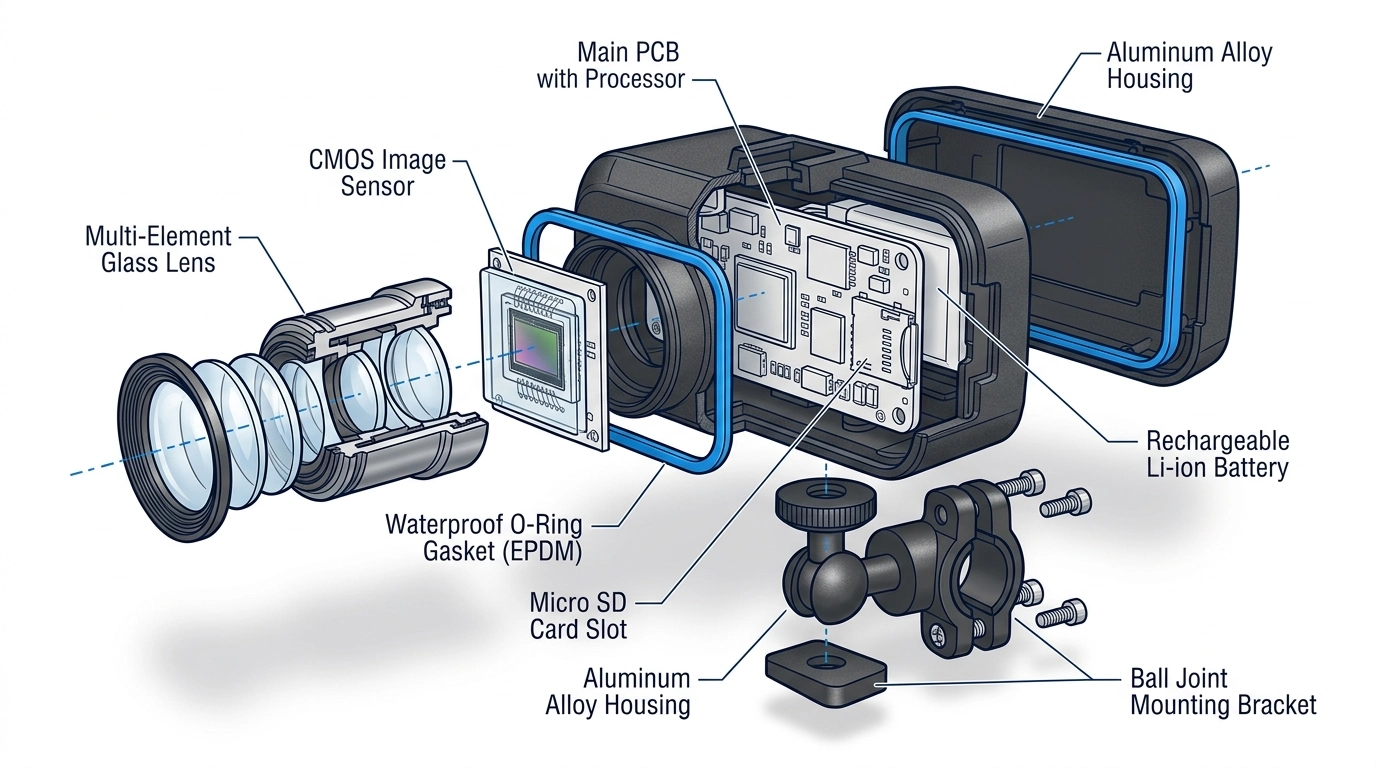
Rexing MTC1: The Complete Breakdown
Now that you understand what matters, let us look at the camera we are recommending — and why.
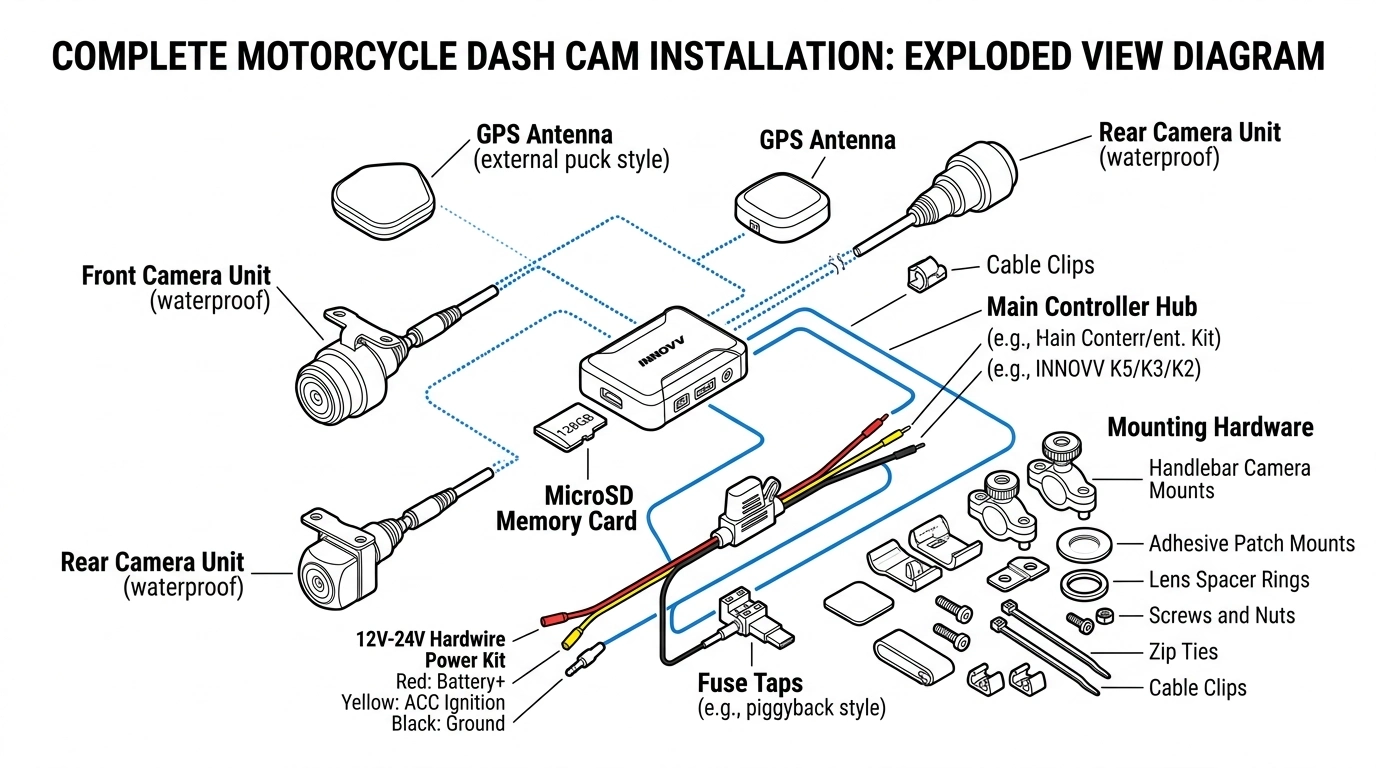
What is in the Box
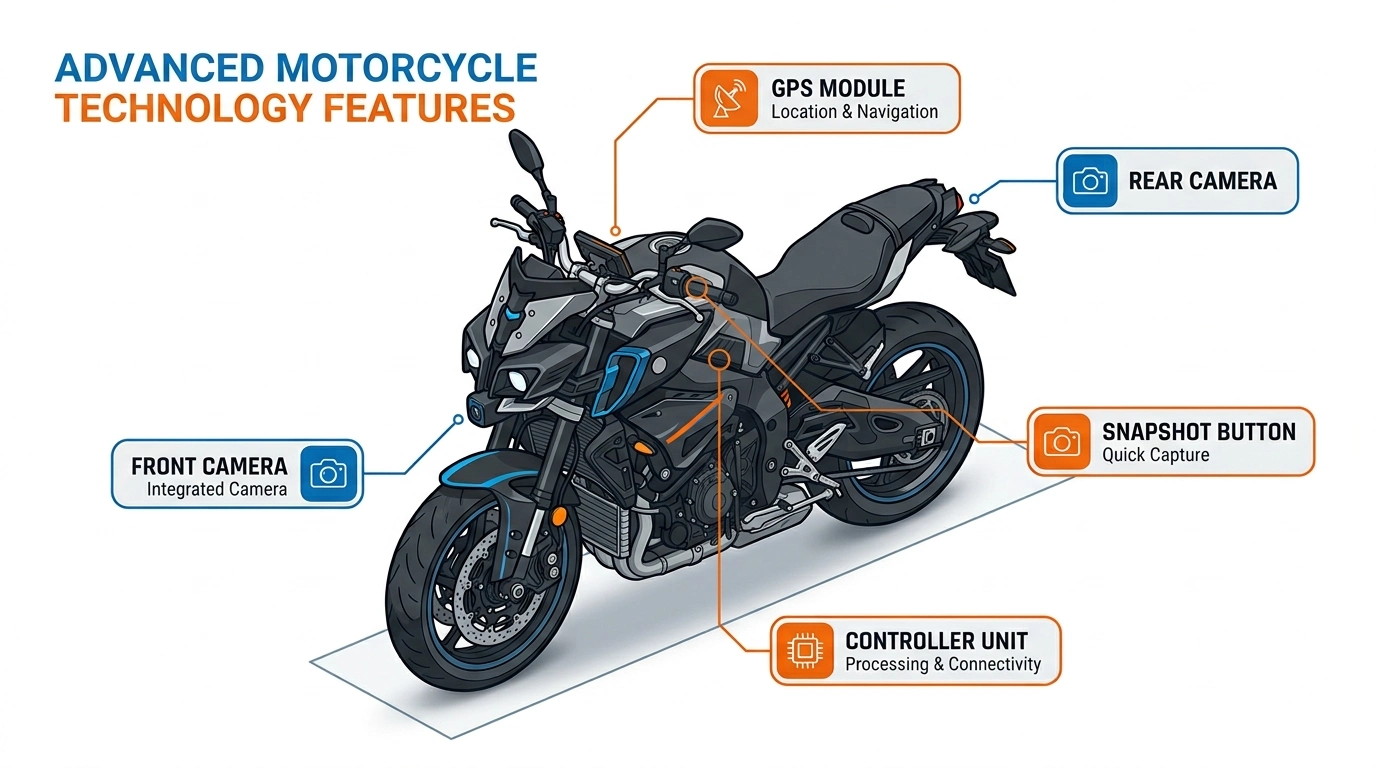
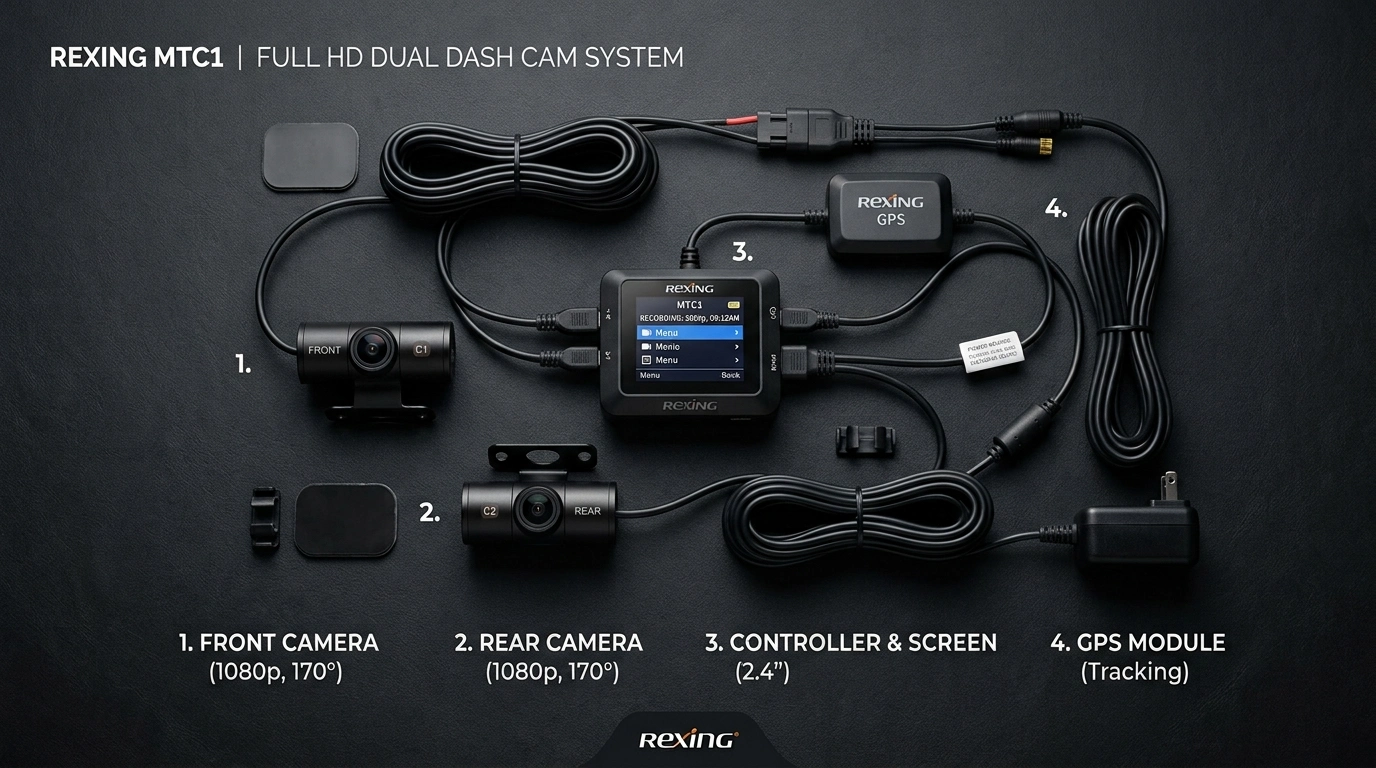
Front camera (1080p, 170-degree wide angle)
Rear camera (1080p, 170-degree wide angle)
Controller unit with 3-inch IPS touchscreen
GPS module
Hardwire kit with fuse taps
Snapshot button (handlebar mountable)
Mounting brackets and hardware
User manual
Note: Memory card is not included. You will need a Class 10 or U3 microSD card, up to 128GB. I recommend a high-endurance card designed for security cameras — they handle constant rewriting better than standard cards.
Video Quality: Good Enough to Matter
Both cameras shoot 1080p at 30fps through 170-degree wide-angle lenses. That 170-degree field of view is wider than many competitors — the INNOVV K5, for example, uses a narrower 120-degree angle.
What does 170 degrees get you? It captures not just what is directly ahead, but the periphery — the car creeping into your lane from the left, the pedestrian stepping off the curb to your right. It is the difference between seeing the incident and missing it.
In daylight, plate readability is excellent at distances up to about 30 feet. At night, the enhanced sensor handles streetlight conditions well, though it is not as sharp as premium options like the Thinkware M1. For most riders, it is more than adequate.
Installation: Easier Than You Fear
Here is the truth: hardwiring a dash cam sounds intimidating, but it is actually straightforward. The MTC1 kit includes fuse taps that connect to your bike's existing fuse box — no cutting wires, no electrical knowledge needed.
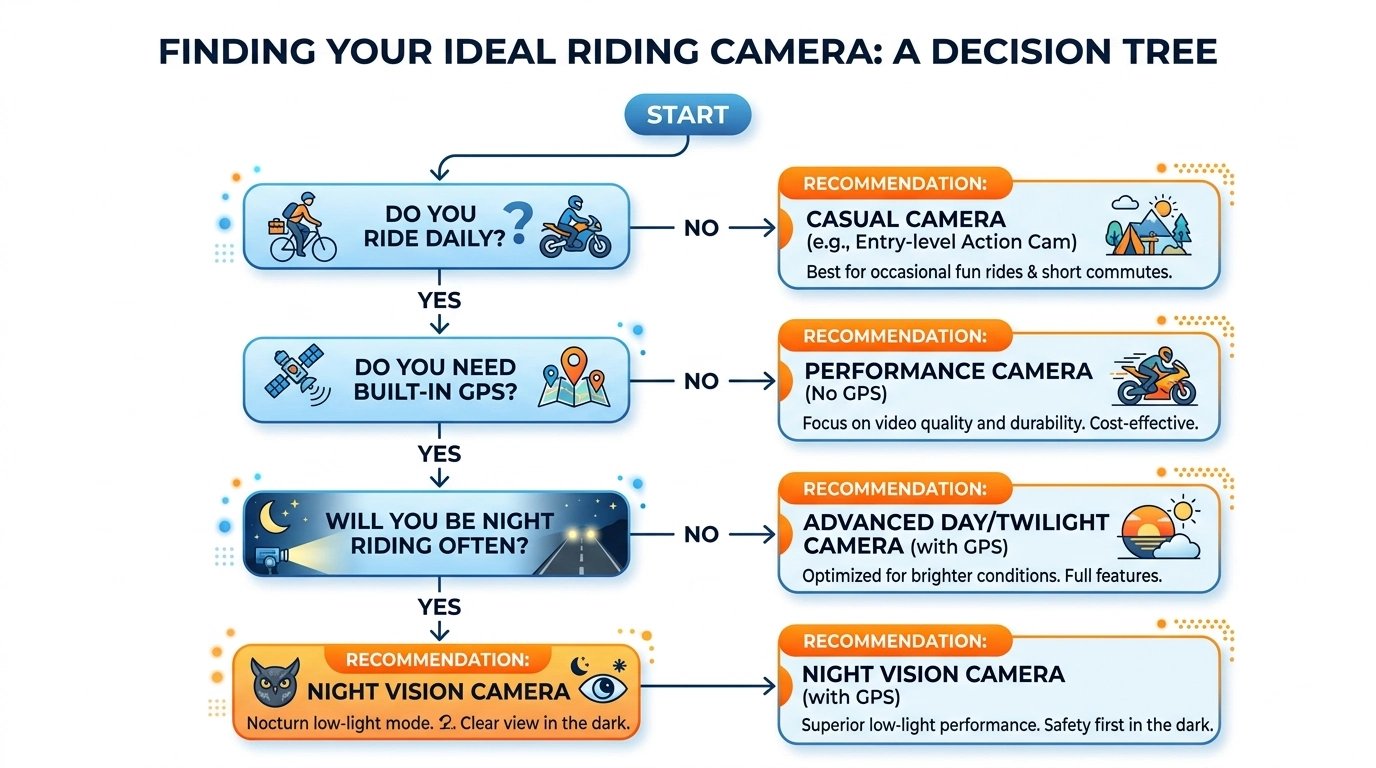
The basic process:
Mount the front camera near your headlight or fairing
Mount the rear camera near your license plate or tail section
Route cables along the frame (zip ties are your friend)
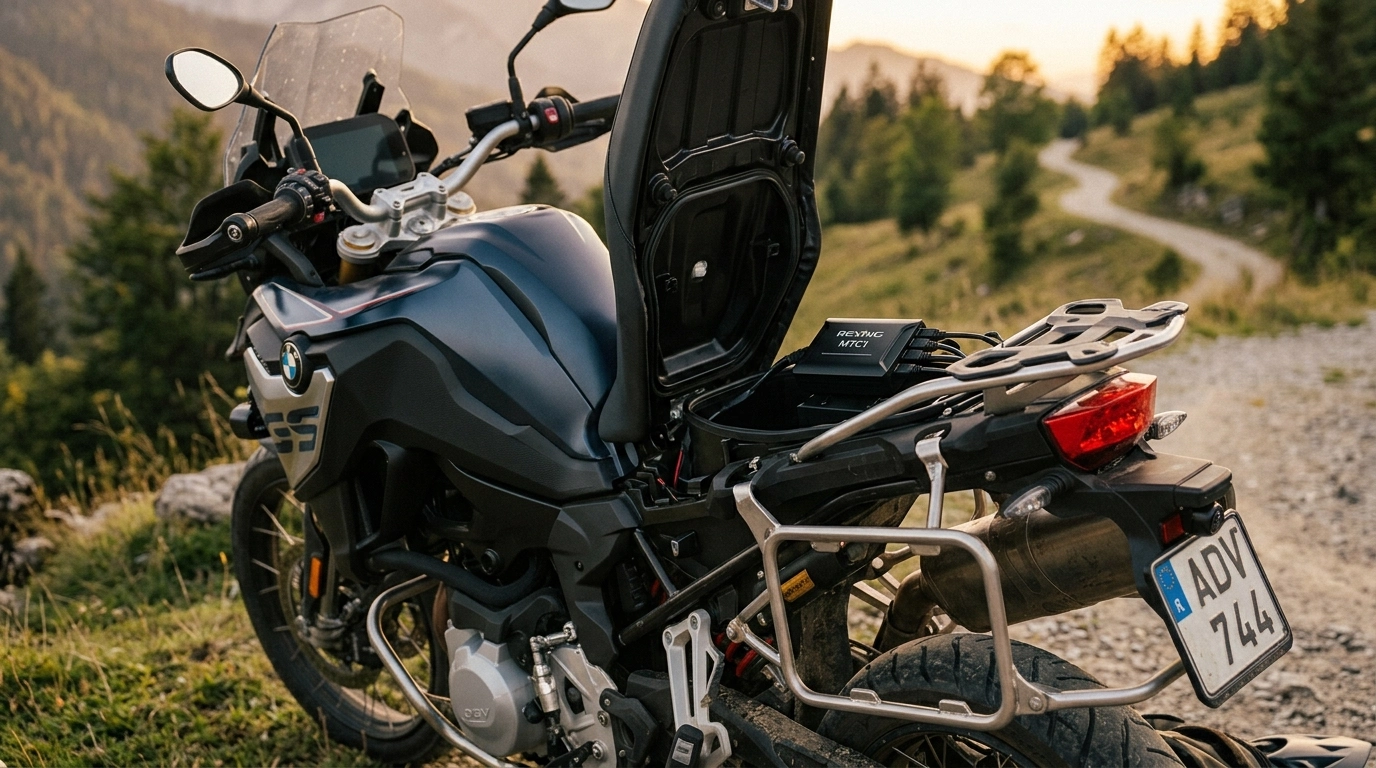
Connect the controller unit under your seat
Plug in the hardwire kit to your battery/fuse box
Position the GPS module with clear sky view
Mount the snapshot button somewhere reachable
Most riders complete installation in 2-3 hours on their first try. If you are not comfortable with it, any motorcycle shop can do it for $50-100.
One important note: The MTC1's mounting brackets do not rotate. You need to get the camera angle right during installation — you cannot adjust it later without remounting. Take your time during setup.
WiFi and App: Simple When You Need It
The Rexing Connect App connects to the camera via WiFi. No internet needed — it is a direct device-to-camera connection.
Use the app to:
View live camera feeds during installation (to align angles)
Download footage to your phone
Adjust settings (resolution, loop length, G-sensor sensitivity)
Review GPS-tracked routes
The app is not fancy, but it works. And honestly, that is what matters. You are not editing a movie. You are downloading evidence.
Parking Mode: Protection While You are Away
The MTC1 includes a basic parking mode that monitors for impacts while your bike is parked. If someone hits your bike in a parking lot, the G-sensor triggers and saves the footage.
It is not 24/7 recording like some premium systems — it sleeps until triggered. This reduces battery drain while still catching hit-and-runs. For garage-parked bikes, this is sufficient. For street-parked bikes in high-risk areas, you might want a system with continuous parking mode, but that requires a battery management system to prevent draining your bike's battery.
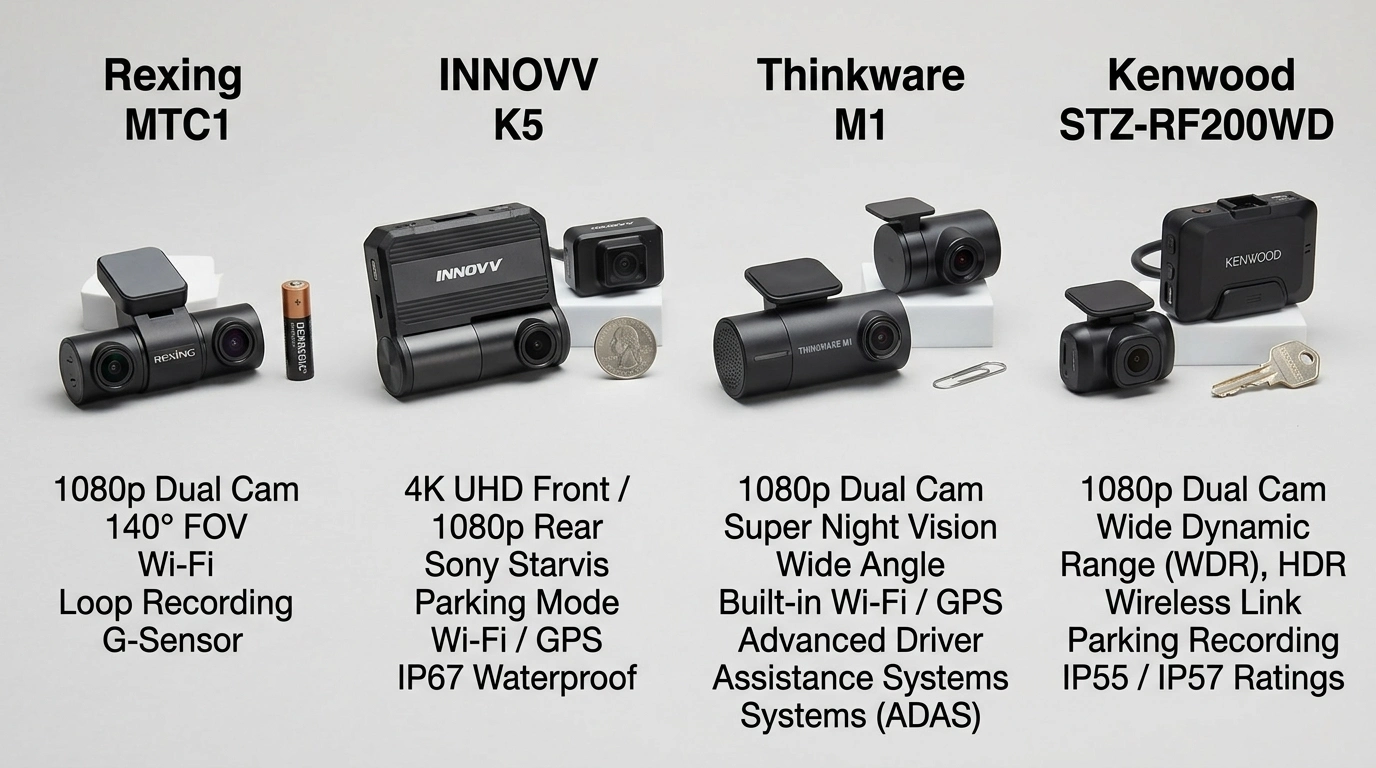
How the Rexing MTC1 Compares to the Competition
No camera is right for everyone. Let us see how the MTC1 stacks up against the main alternatives.
Feature | Rexing MTC1 | INNOVV K5 | Thinkware M1 | Kenwood STZ-RF200WD |
|---|---|---|---|---|
Price | ~$299 | ~$458 | ~$350 | ~$400 |
Front Resolution | 1080p | 4K | 1080p | 1080p |
Rear Resolution | 1080p | 1080p | 1080p | 1080p |
Field of View | 170 degrees | 120 degrees | 140 degrees | 195 degrees |
Weatherproofing | IP67 | IP67 | IP66 | IP66/67 |
GPS | Included | Included | Included | Included |
WiFi | Yes | Dual-band | Yes | No |
Parking Mode | G-sensor | Full 24hr | Motion detect | No |
Max Storage | 128GB | 512GB | 128GB | 256GB |
Night Vision | Good | Very Good | Excellent | Average |
Touchscreen | 3-inch IPS | No | No | No |
Best For | Value seekers | Quality seekers | Night riders | All-weather tourers |
When to Choose Each:
Rexing MTC1: You want the best balance of features and price. You are a daily commuter or weekend rider who needs reliable protection without spending $400+. The touchscreen and included GPS are genuine conveniences at this price point.
INNOVV K5: You want the sharpest possible footage and do not mind paying for it. The 4K front camera captures detail the MTC1 cannot match, and the 512GB storage handles massive files. Best for riders who also want high-quality ride videos for sharing.
Thinkware M1: You ride extensively at night or in low-light conditions. The M1's night vision is genuinely best-in-class. You will pay more for it, but if you commute before dawn or after dark, the clarity difference matters.
Kenwood STZ-RF200WD: You want the widest possible coverage and ride in all weather conditions. The 195-degree field of view catches more periphery than anything else, and the build quality is exceptional. No WiFi or parking mode are the trade-offs.
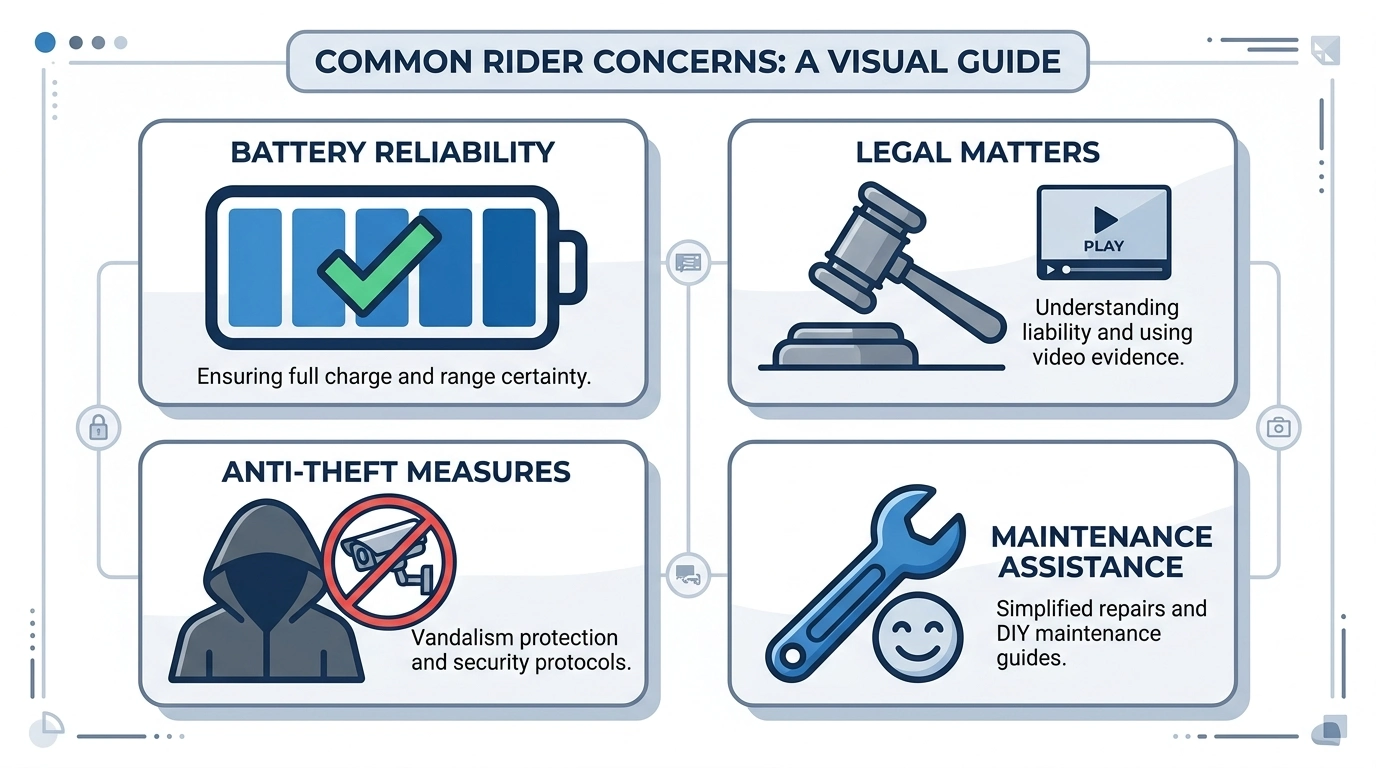
Addressing Your Concerns (The Stuff You are Actually Worried About)
Will this drain my battery?
The MTC1 draws minimal power when the bike is off — just enough to monitor the G-sensor for parking mode. If you ride at least once a week, your battery will be fine. If you store your bike for months, disconnect the hardwire or use a battery tender.
For constant parking mode recording, you would need a battery management system (sold separately). Most riders do not need this.
Is the video actually admissible in court?
Yes. Dash cam footage is routinely used in insurance claims and legal proceedings. The key factors are:
Timestamp accuracy (GPS provides this)
Chain of custody (you download and save the file)
Clarity (1080p is sufficient for most cases)
Insurance companies love dash cam footage. It eliminates he said, she said and speeds claims dramatically.
What if someone steals the camera?
The MTC1's cameras are small and discreet — most people will not notice them. The controller unit hides under your seat. Unlike a GoPro mounted on your handlebars, there is nothing obvious to grab.
If theft is a major concern, the Kenwood's removable control box design lets you take the brain with you while leaving the cameras mounted.
Can I install this myself if I am not mechanical?
Yes, but it will take patience. The hardest part is routing cables cleanly through your bike's bodywork. If you have ever installed a phone charger or auxiliary lights, you can handle this. If not, any shop can do it in under two hours.
There are excellent installation videos on YouTube for most popular bike models. Search your bike model dash cam install and you will likely find a walkthrough.
What happens to my footage if I crash?
The G-sensor locks the file automatically. Even if the camera is damaged in the crash, the memory card is protected inside the controller unit. As long as the card survives, your footage survives.
Pro tip: Download important footage to your phone immediately after any incident. Do not wait.
Do I really need front AND rear?
Yes. Here is why: in a rear-end collision, the front camera shows you riding normally — proving you were not speeding or swerving. The rear camera shows the impact — proving the other driver hit you. Together, they tell the complete story.
A front-only camera leaves a massive gap in your evidence. Do not cheap out on this.
The Complete Setup: What Else You Need
The MTC1 is the core of your protection system, but there are a few accessories worth considering:
Essential: High-Endurance microSD Card
Do not use a standard card. Dash cams write constantly, and standard cards wear out quickly. Get a high-endurance card rated for security cameras — Samsung Pro Endurance or SanDisk High Endurance. 64GB is the minimum; 128GB gives you more buffer.
Cost: $15-30.
Recommended: Battery Management System (for parking mode)
If you park on the street and want true 24/7 recording, a battery management system (like the INNOVV Power Hub or a generic 12V cutoff) prevents your bike's battery from dying. It monitors voltage and cuts power before your battery drops too low to start the bike.
Cost: $40-80.
Optional: Additional Mounting Points
The included mounts work for most bikes, but some riders prefer RAM mounts or custom brackets for cleaner positioning. If your bike has limited mounting space, budget an extra $20-40 for alternatives.
Not Needed: Expensive Editing Software
The Rexing app handles basic clipping and sharing. For anything more complex, free tools like DaVinci Resolve or even your phone's built-in editor are sufficient. Do not spend money on software you will use once a year.
Real-World Performance: What Riders Actually Say
Marketing claims are one thing. Real rider feedback is another. Here is what actual MTC1 owners report:
The Good:
Installation took 3 hours on my Ninja 650. Hardest part was hiding cables. Once it is in, you forget it is there — which is exactly what you want.
Daylight footage is crystal clear. I can read plates at 30 feet easily. Night footage is good enough — not amazing, but I can make out details under streetlights.
The snapshot button is genius. Someone cut me off last week; I hit the button and had the footage on my phone before I got home.
Survived a full season of Pacific Northwest rain. No issues, no fogging, no failures.
The Not-So-Good:
Mounting brackets are fixed angle. I had to reinstall my rear camera twice to get it right. Measure twice, drill once.
128GB limit is annoying. I ride a lot and have to clear the card monthly. Not a dealbreaker, but wish it took 256GB.
App is basic. Works fine for downloads, but do not expect GoPro-level editing features.
GPS lock takes 30-60 seconds on first start. After that it is instant.
The consensus? For the price, the MTC1 punches above its weight. It is not perfect, but the imperfections are minor compared to the protection it provides.
Who Should Buy the Rexing MTC1?
Buy It If:
You want dual-channel protection without spending $400+
You ride daily or several times a week
You need GPS logging for insurance/legal protection
You want a touchscreen for easy setup and review
You ride in all weather conditions
You want parking mode protection for hit-and-runs
You are a first-time dash cam buyer who wants value
Consider Something Else If:
You need 4K resolution for professional video work
You ride almost exclusively at night and need best-in-class low light
You want 24/7 parking mode with continuous recording
You need more than 128GB storage
You want the absolute widest field of view (195 degrees+)
Installation Walkthrough: A Practical Guide
Let us walk through a typical installation on a standard motorcycle. Your specific bike may vary, but the principles are universal.
Step 1: Plan Your Camera Positions
Before touching a tool, hold the cameras in position and check the view. The front camera should capture the road ahead with some hood/fairing visible for reference. The rear camera should see behind you with your tail light in frame — this proves the camera was on your bike, not handheld.
Common front mounting locations:
Behind the windscreen (sport bikes)
On the fork tubes (naked bikes)
Under the headlight (adventure bikes)
On the handlebar clamp (cruisers)
Common rear mounting locations:
Near the license plate
Under the tail section
On the rear fender
Step 2: Mount the Cameras
Use the included brackets and hardware. Remember: the MTC1 mounts do not rotate. Get the angle right now, or you will be doing this twice. Use a level or eyeball it carefully.
Tighten firmly but do not overtighten — you can crack the mounts.
Step 3: Route the Cables
This is the most time-consuming part. Run cables along the frame, under tank covers, through existing wire looms. Use zip ties every 6-8 inches. Avoid:
Exhaust pipes (heat damage)
Moving parts (throttle cables, brake lines)
Sharp edges (chafing)
Leave some slack at the cameras for vibration absorption.
Step 4: Install the Controller Unit
The controller goes under your seat or in a storage compartment. It needs to be:
Protected from direct rain (even though it is somewhat sealed)
Accessible for card removal (rarely needed with WiFi)
Secure — use Velcro or zip ties
Step 5: Connect Power
The hardwire kit connects to your battery positive and negative terminals, with a fuse tap for switched power (so the camera turns on/off with your ignition). Most bikes have an accessory fuse you can tap — check your owner's manual.
If you are not comfortable with this step, stop here and take it to a shop. It is a 15-minute job for a mechanic.
Step 6: Position the GPS Module
The GPS needs clear sky view. Under the seat with the controller usually works, but test signal strength before finalizing position. The app shows GPS status.
Step 7: Mount the Snapshot Button
Put this somewhere you can reach with gloves on — near your left grip is common. It is wired, so route the cable cleanly.
Step 8: Test Everything
Before buttoning everything up:
Power on and verify both cameras record
Check the app connects via WiFi
Verify GPS locks (may take 30-60 seconds first time)
Test the snapshot button
Check G-sensor by gently tapping the bike
Once everything works, tidy up cables and enjoy the peace of mind.
Common Mistakes First-Time Buyers Make
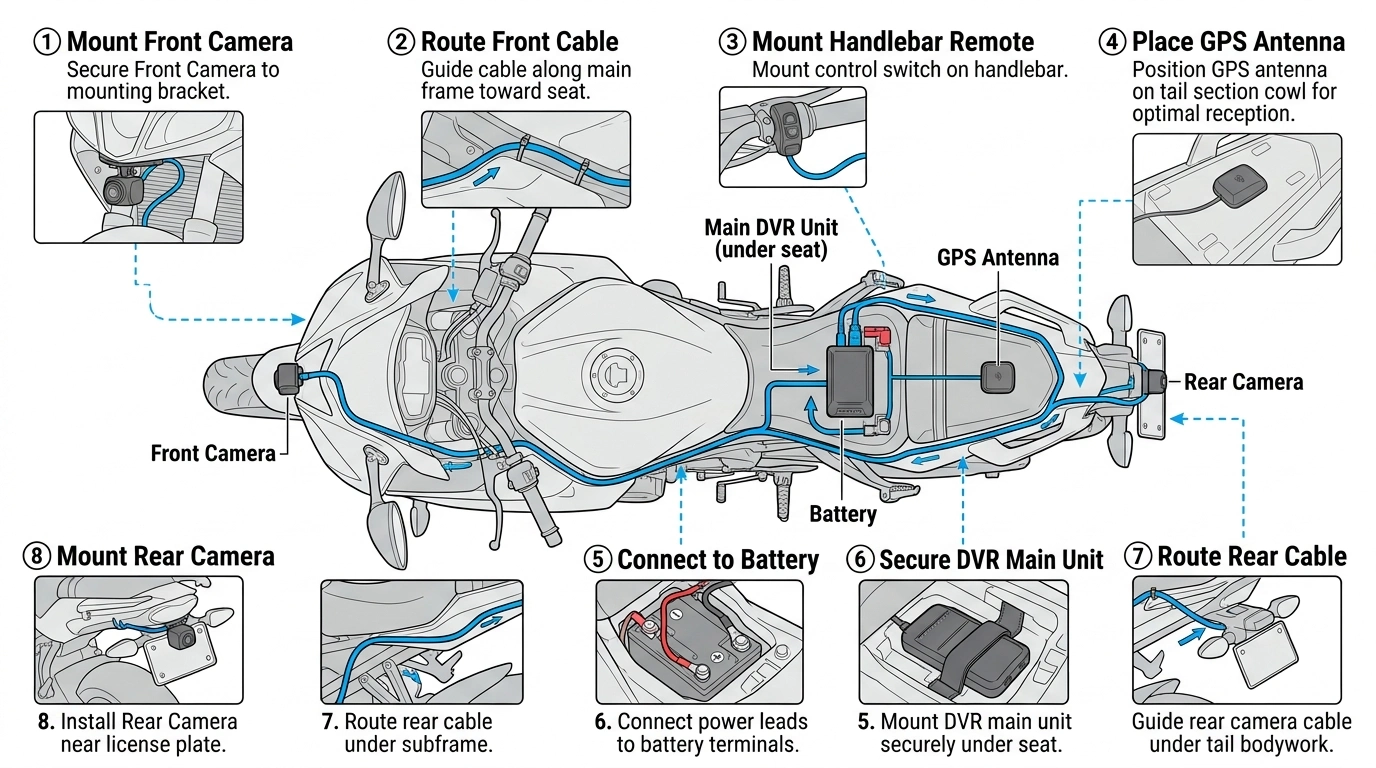
Mistake 1: Buying Based on Resolution Alone
4K sounds impressive, but it is not the only metric that matters. A 1080p camera with good dynamic range and a wide lens often captures more useful evidence than a 4K camera with poor night performance and a narrow angle.
Mistake 2: Using a Cheap Memory Card
That $8 microSD from the gas station? It will fail within months of constant rewriting. Spend the extra $10 on a high-endurance card. When you need that footage, you will be glad you did.
Mistake 3: Ignoring the Rear Camera
I will just get a front camera for now and add rear later. No, you will not. Install both from day one. Rear-end collisions are too common to leave unprotected.
Mistake 4: Mounting Cameras Where They are Visible
Visible cameras get stolen. Hidden cameras do not. The MTC1's small size makes discreet mounting easy — take advantage of it.
Mistake 5: Not Testing Before the First Ride
Verify everything works before you need it. Check angles, test the app, confirm GPS locks. A camera that is not recording is just dead weight.
FAQ: Questions Riders Actually Ask
How long will a 128GB card record?
At 1080p dual-channel, approximately 8-10 hours of continuous recording before looping. For most commuters, that is 1-2 weeks of riding. Weekend warriors might get a month.
Will the camera work in extreme heat or cold?
The MTC1 operates from -14 degrees F to 122 degrees F (-10 degrees C to 50 degrees C). That is sufficient for most climates, though extreme desert riders might want to verify summer performance.
Can I use the footage for insurance claims?
Absolutely. Insurance companies actively encourage dash cam use. Clear footage can speed claims from weeks to days, and often results in better outcomes for the rider.
What happens if the camera loses power during a crash?
The MTC1 has a capacitor (not a battery) that provides enough power to save the current file safely. You will not lose the incident footage due to power loss.
Can I transfer the camera to another bike?
Yes, but it is a project. The cameras are hardwired and mounted specifically to your current bike. Moving them requires full reinstallation. If you switch bikes frequently, consider whether a helmet-mounted system might work better.
Does the camera record audio?
Yes, the MTC1 records audio via a built-in microphone. You can disable this in settings if you prefer. Audio can be useful for capturing horn honks, screeching tires, or verbal exchanges after an incident.
How often should I check the footage?
Check monthly that the camera is still recording properly. Format the memory card every 2-3 months to prevent file corruption. Otherwise, set it and forget it.
Is the Rexing MTC1 waterproof enough for monsoon riding?
IP67 means it can handle immersion up to 1 meter for 30 minutes. Heavy rain, pressure washing, and river crossings (within reason) are fine. Submerging it in a deep puddle for an hour? Maybe not.
What is the warranty?
Rexing offers an 18-month warranty on the MTC1. Given the price point, this is reasonable. Premium competitors often offer 2 years, but you are paying for that extra six months.
Can I use this on a scooter or ATV?
Yes. The MTC1 works on any 12V vehicle — scooters, ATVs, snowmobiles, even golf carts. The mounting and wiring principles are the same.
The Bottom Line: Is the Rexing MTC1 Worth It?
Let us bring this back to Dave.
If Dave had an MTC1 mounted on his CB500X that Tuesday morning, everything would have been different. The front camera would have shown him riding normally in the middle lane. The rear camera would have captured the Camry cutting across two lanes without signaling. The GPS would have proved his speed was 45 in a 50. The G-sensor would have locked the file the moment of impact.
Instead of a 40% fault ruling, the video would have shown 100% Camry fault. Instead of a $340 premium hike, his rates would have stayed flat. Instead of an $8,000 settlement for a fraudulent injury claim, the Camry driver's insurance would have paid for Dave's pannier and called it a day.
The MTC1 would not have prevented the accident. Nothing can make drivers check their mirrors. But it would have prevented the aftermath — the months of stress, the financial hit, the helpless anger of knowing you were right but could not prove it.
That is what a dash cam buys you. Not just video. Peace of mind. Control over your own story. The ability to say I have proof instead of I swear.
At $299, the Rexing MTC1 is not the cheapest option, and it is not the most expensive. It is the option that gives you everything you actually need — dual 1080p, GPS, WiFi, weatherproofing, parking mode — without charging for features that do not matter.
Is it perfect? No. The 128GB card limit is real. The mounts do not rotate. The night vision is good, not great. But for the rider who wants reliable protection without breaking the bank, it is the smartest choice on the market right now.
If that sounds like you, the next step is simple.
Your Next Step
You have read the guide. You understand what matters. You know what to look for, what to avoid, and why the Rexing MTC1 is worth considering.
Now it is time to see current pricing and availability. Dash cam prices fluctuate, and retailers run promotions regularly. The link below will take you to the official Rexing store where you can check the latest price, read more verified buyer reviews, and see if the MTC1 is in stock.
Check current Rexing MTC1 pricing and availability here
Before you click, one more thing: do not overthink this. The difference between having a dash cam and not having one is measured in thousands of dollars and months of stress. The difference between the MTC1 and a $500 competitor is measured in marginal improvements you will rarely notice.
Get protected. Ride with confidence. And may you never need the footage — but be damn glad you have it if you do.
Ride safe out there.
Last updated: July 2026. Product specifications and pricing are subject to change. Always verify current details with the retailer before purchasing. This article contains affiliate links — we earn a commission if you make a purchase, at no additional cost to you. Our recommendations are based on research and rider feedback, not commission rates.
This Article was made with AI assistance and human editing.

