

Which hosting should you actually choose?
If you’re comparing options but still unsure, you’re not alone. Choosing between shared hosting, VPS, and dedicated servers can feel overwhelming—especially when every provider claims to be the best. This simple decision guide will help you pick the right hosting based on your current needs and future growth.
Whether you’re launching your first website or scaling a growing business, the key is choosing hosting that matches your stage—not overpaying or underpowering your setup. If you’re just starting, you can get affordable shared hosting and upgrade later as your site grows.
Quick Answer (Featured Snippet):
Beginners should choose shared hosting for simplicity and low cost. Growing websites should upgrade to VPS hosting for better performance and control. Established businesses with high traffic should use dedicated servers for maximum speed, security, and reliability.
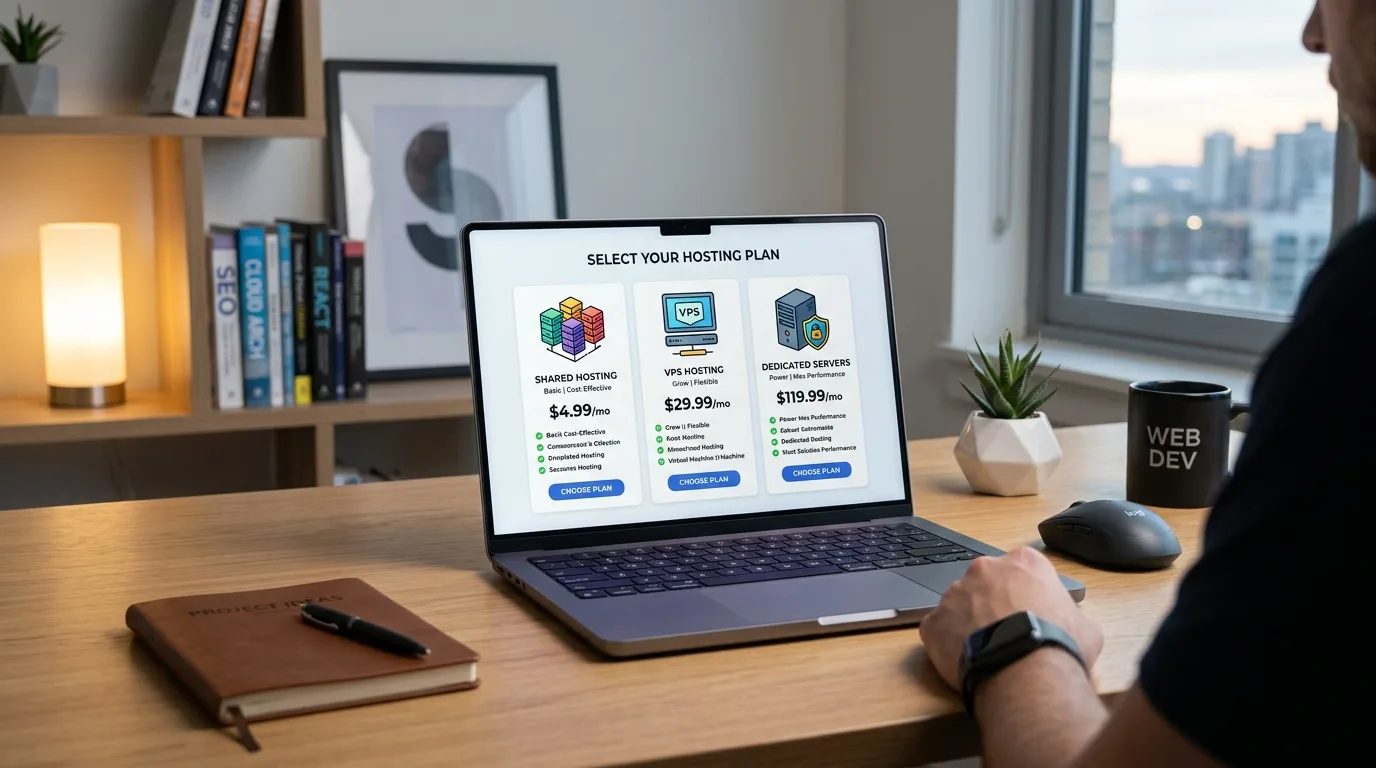
Let’s break this down step by step so you can confidently decide.
Understanding the Three Main Hosting Types
Before choosing, it’s important to understand what each hosting type actually means in practical terms.
Shared Hosting: Multiple websites share the same server resources.
VPS Hosting: A virtual private server with dedicated resources inside a shared environment.
Dedicated Hosting: A full server entirely for your website.
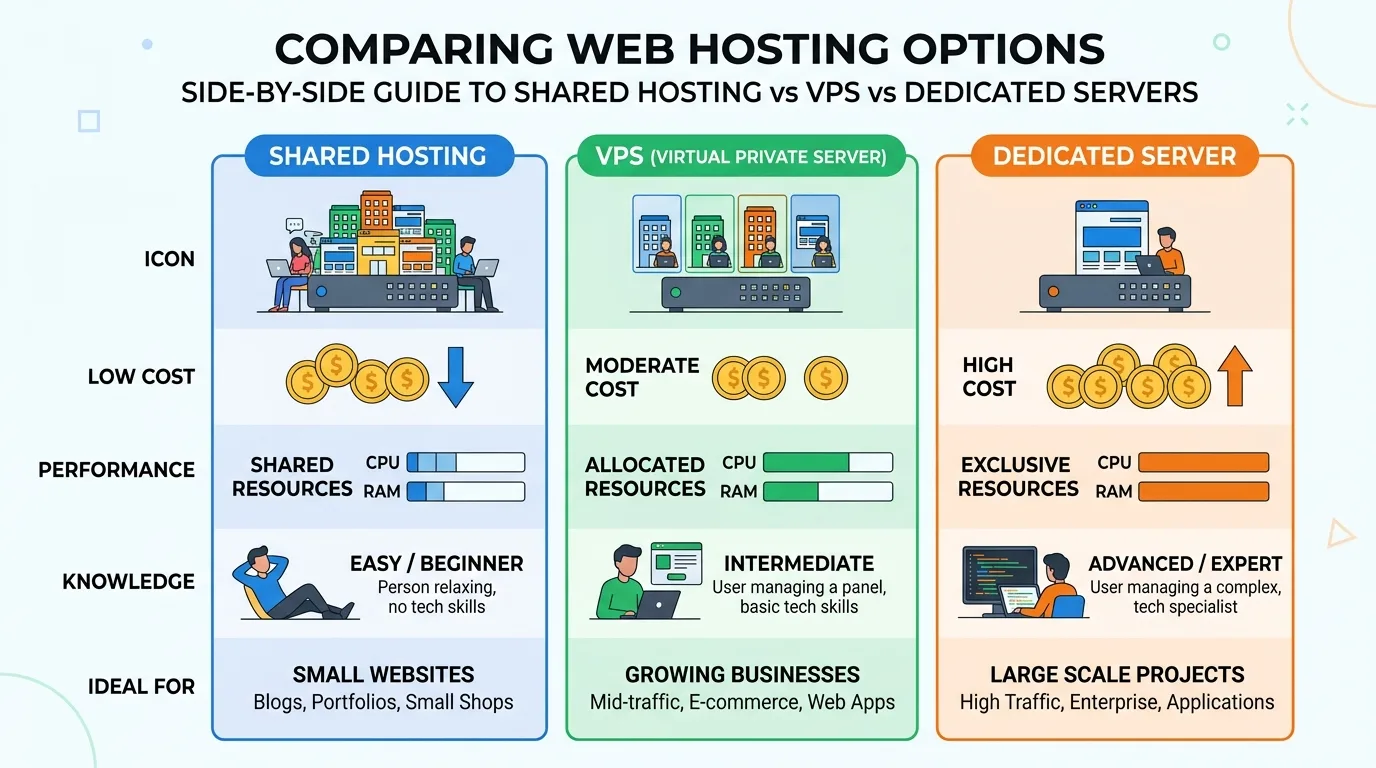
Each option has its place—it’s not about which is “best,” but which is right for you right now.
Decision Framework: Choose Based on Your Stage
Instead of overthinking features, use this simple framework:
Beginner → Shared Hosting
Growing Website → VPS Hosting
Business / High Traffic → Dedicated Server
This approach prevents overspending while ensuring your website performs well.
Shared Hosting: Best for Beginners
If you’re launching your first blog, portfolio, or small website, shared hosting is the smartest choice. It’s simple, affordable, and requires no technical knowledge.
With shared hosting, your site shares server resources with others. That keeps costs low, but it also means performance is limited compared to higher-tier options.
Low cost (ideal for beginners)
Easy setup (no technical skills required)
Perfect for blogs, small websites, and portfolios
Includes essential features like email and SSL
If your goal is to test ideas or start a side project, you can start with Namecheap shared hosting without a big investment.
When shared hosting makes sense:
You’re just starting out
Your traffic is under 10,000 visitors/month
You want a low-risk, low-cost solution
VPS Hosting: Best for Growing Websites
As your website grows, shared hosting can start to feel limiting. Slow load times, traffic spikes, and performance issues become more noticeable.
That’s where VPS hosting comes in.
With VPS, you still share a physical server—but you get your own dedicated resources. This means better speed, stability, and control.
Improved performance and speed
Dedicated RAM and CPU resources
Greater control and customization
Scalable as your traffic grows
If your site is gaining traction, you can upgrade to a VPS hosting plan without rebuilding everything from scratch.
When VPS hosting makes sense:
You’re getting consistent traffic (10k–100k/month)
Your site is slowing down on shared hosting
You need more control over your environment
Dedicated Hosting: Best for Businesses
Dedicated hosting is the top tier. You get an entire server to yourself—no sharing, no compromises.
This is ideal for businesses, eCommerce stores, and high-traffic platforms where performance and security are critical.
Maximum speed and reliability
Full control over server configuration
High-level security
Handles heavy traffic بسهولة
If you’re running a serious operation, you can get a dedicated server built for performance and scalability.
When dedicated hosting makes sense:
You have 100k+ monthly visitors
Your business depends on uptime
You need advanced customization
Side-by-Side Comparison
Feature | Shared Hosting | VPS Hosting | Dedicated Hosting |
Cost | Low | Medium | High |
Performance | Basic | High | Maximum |
Control | Limited | Moderate | Full |
Best For | Beginners | Growing Sites | Businesses |
Scalability | Limited | Flexible | Very High |
How to Make the Final Decision
If you’re still unsure, ask yourself these simple questions:
How much traffic do I expect in the next 6 months?
Do I need advanced control or just a simple setup?
Can I upgrade later without hassle?
Most people overestimate their needs. Starting small and upgrading later is usually the smartest move.
Pro Tip: Hosting is not permanent. You can always upgrade as your website grows. What matters is starting with the right balance of cost and performance.
If you also need a domain, you can register a domain easily and connect it to your hosting in minutes.
Practical Tips Before You Choose
Don’t overpay for features you won’t use
Always check upgrade paths (shared → VPS → dedicated)
Prioritize uptime and support over flashy features
Start simple, scale later
Many users start with shared hosting, grow into VPS, and eventually move to dedicated servers. This natural progression keeps costs low while ensuring performance.
Internal Resource Recommendations
If you want a deeper breakdown, you can explore:
These guides help you understand performance, pricing, and long-term value in more detail.
FAQ Section
1. Which hosting is best for beginners?
Shared hosting is best for beginners because it’s affordable, easy to set up, and doesn’t require technical knowledge. It’s ideal for blogs, small websites, and personal projects.
2. When should I upgrade from shared to VPS?
You should upgrade when your website slows down, traffic increases, or you need more control. Typically, this happens around 10,000+ monthly visitors.
3. Is VPS better than shared hosting?
Yes, VPS offers better performance and control, but it’s more expensive. It’s only worth it if your website has grown beyond shared hosting limitations.
4. Do I need dedicated hosting?
Only if you run a high-traffic website or business where performance and security are critical. Most users don’t need it initially.
5. Can I switch hosting later?
Yes, you can upgrade anytime. Many providers offer easy migration tools to move your website without downtime.
6. What is the safest option to start with?
Shared hosting is the safest starting point because it minimizes cost while allowing you to test and grow your website.
Conclusion: Choose Smart, Not Big
The biggest mistake people make is choosing hosting based on hype instead of actual needs.
Start simple. Grow gradually. Upgrade when necessary.
If you’re just starting, the smartest move is to start with affordable shared hosting. As your site grows, you can scale to VPS or dedicated hosting without stress.
Ultimately, the best hosting choice is the one that fits your current stage not someone else’s success story.
Take action, launch your site, and evolve as you grow.
This Article was made with AI assistance and human editing.


